- From the home page, select the "Setup" tab located to the left of the site. Then click on the "Manage Integrations" option.

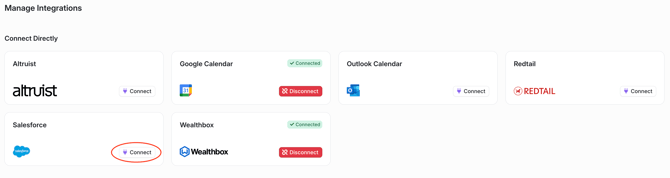
- Select the "Connect" button next to Salesforce.
- There will be a pop-up box with instructions on how to install the YourStake app within Salesforce, select the blue "Connect" button if this is the first time connecting.
-png.png?width=670&height=141&name=Connect%20Salesforce%20and%20YourStake%20(3)-png.png)
- The user will be redirected to a Salesforce authentication page.
-png.png?width=670&height=469&name=Connect%20Salesforce%20and%20YourStake%20(4)-png.png)
- After logging in, the user should be redirected back to the YourStake Integrations page. Verify that the Salesforce integration now shows as "Connected".
English