
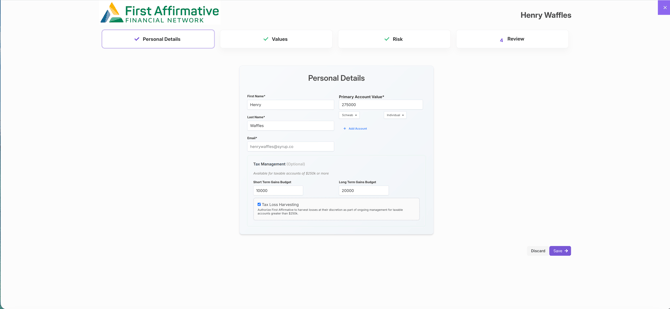
Step 1: Add Client or Prospect Details
Within the VADIS workflow, enter the client’s or prospect’s information to begin the values alignment process.
Step 2: Set Value Preferences
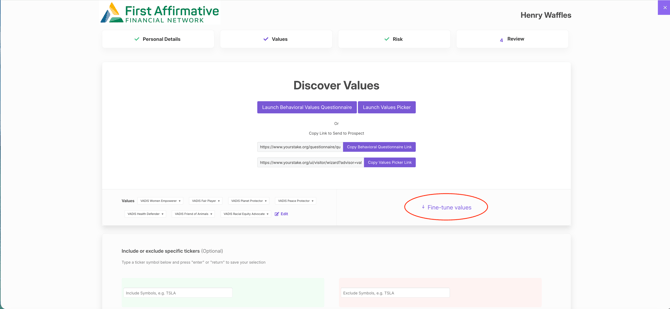
Advisors can initiate the values discovery process in one of two ways:
-
Complete the Values Questionnaire and Values Picker together with the client, or
-
Send the questionnaire via a secure link for the client to complete independently.
Step 3: Receive the VADIS Values Persona
Once the client or prospect completes the Values Questionnaire and Values Picker, they will receive a personalized VADIS Values Persona (e.g., VADIS Women Empowerer, VADIS Fair Player, VADIS Planet Protector, etc.), reflecting their core values profile.
Step 4: Review and Refine in “Fine-Tune Values”
Navigate to the Fine-Tune Values section to review the selected preferences and assess their impact on the investable universe.
Understanding the VADIS Metric Meter
Located in the top-left corner of the platform, the Metric Meter dynamically illustrates how value-based exclusions affect portfolio construction. The bar shifts from left to right and changes color based on the percentage of the investable universe excluded.
🟢 Green
-
Less than 35% of the investable universe excluded
-
Greater likelihood of maintaining lower tracking error during portfolio optimization
-
Supports stronger diversification
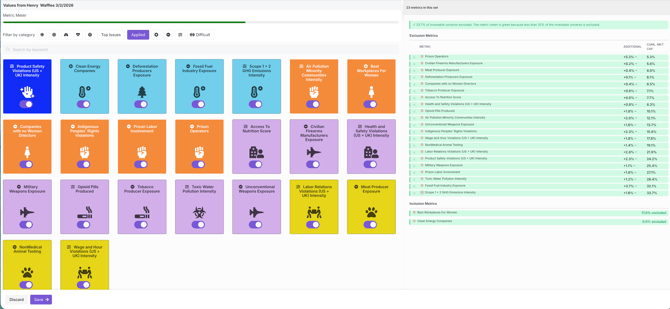
🟡 Yellow
-
More than 35% of the investable universe excluded
-
Higher probability that an all-equity portfolio will experience tracking error above 1.75% relative to the global equity benchmark
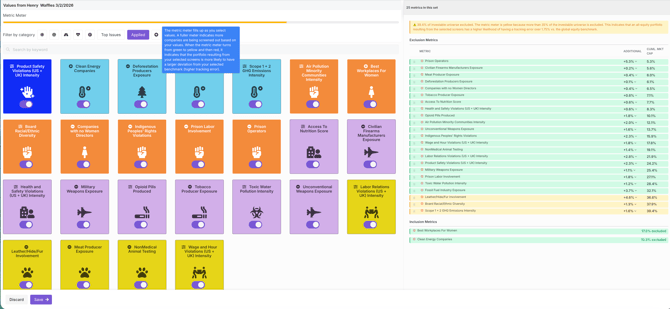
🔴 Red
-
More than 43% of the investable universe excluded
-
Increased likelihood of tracking error above 2% versus the global equity benchmark
-
Heavy exclusions within specific metrics may make it more difficult to outperform the benchmark on those dimensions during optimization
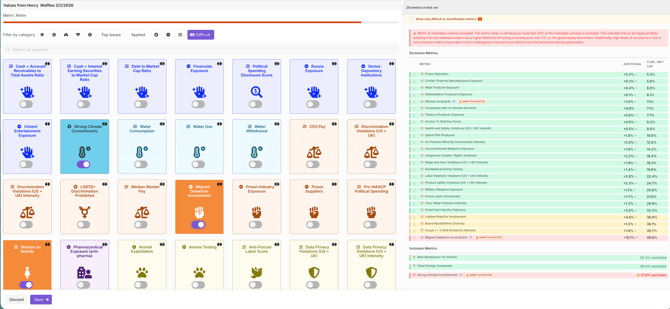
Note: If the Metric Meter indicates red during an optimization, whether for a new strategy or a re-optimization, the advisor and their client will be required to execute the IPS Addendum. This requirement applies only to Investment Adviser Representatives (IARs) and Investment Adviser Supervisors (IASs) and does not apply to advisors operating under Sub Advisory Services Agreements.
Adjusting Metrics to Improve Outcomes
If the Metric Meter moves into yellow or red:
-
Remove certain metrics from the Values Set to broaden the investable universe.
-
Consider alternative metrics where “Swap Suggested” options appear (located on the right-hand side).
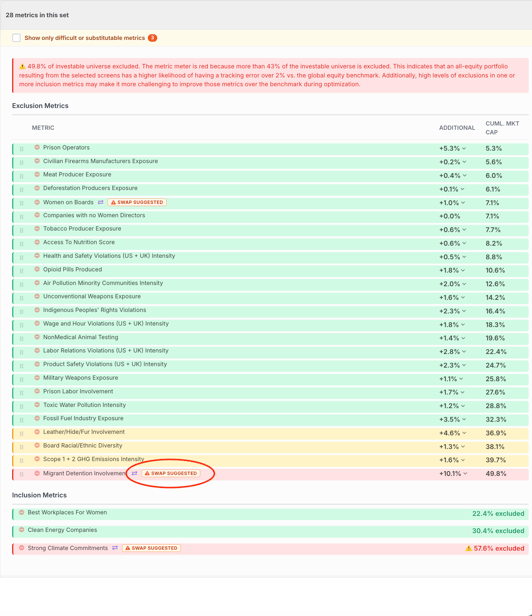
Continue refining selections until the desired balance is achieved.
Once finalized, click the purple “Save” button at the bottom-left corner of the site to store the updated Values Set.
First Affirmative Recommendation
To help ensure a well-diversified portfolio with manageable tracking error, maintaining a green Metric Meter is strongly recommended.
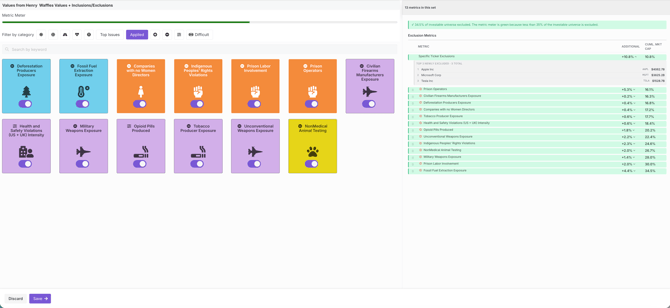
Managing Individual Company Inclusions or Exclusions
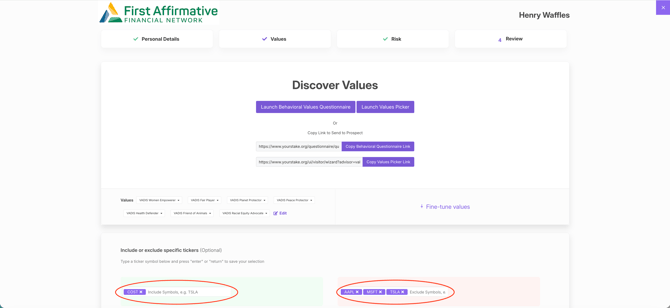
If adding specific company-level exclusions or inclusions:
-
Enter them directly within the Values section of the VADIS workflow.
-
Return to Fine-Tune Values to confirm the Metric Meter remains green.
-
If needed, further adjust metrics to restore the green status.
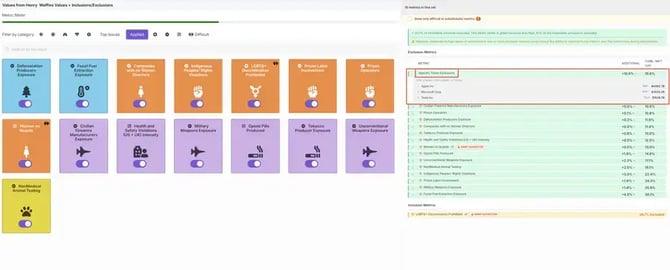
Note: If the user is re-optimizing a current portfolio they may see the metric meter in a different zone than before based on the same values and exclusions. If everything is the same, the user should not expect a major change in tracking error but the metric meter will be a more accurate reflection of the tracking error for the portfolio.
Helpful Hints
-
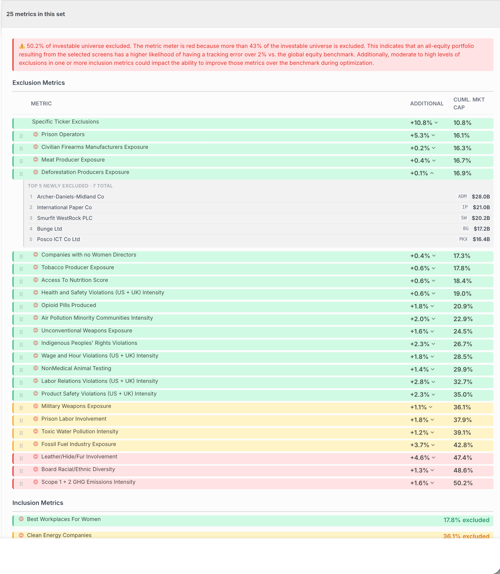
The Metric Meter also displays the top five companies excluded under each metric. This insight can support more meaningful, values-based conversations with clients while working toward a green meter.
-
To prioritize metrics, simply drag and reorder them using the list on the right-hand side.
Video Tutorial:
For additional questions or support, please contact YourStake at support@yourstake.org.