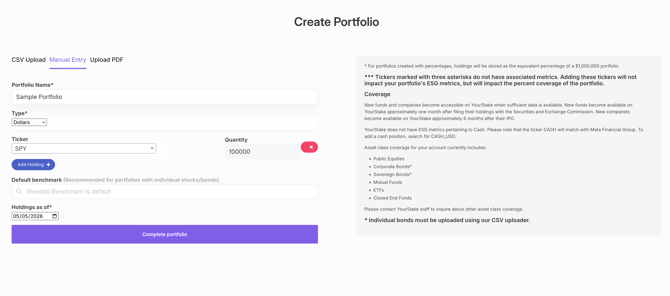
Follow these steps to create a model portfolio using manual entry:
- Navigate to the Portfolios tab and select Create New Portfolio.
- Open the Manual Entry tab and enter a name for your portfolio.
- From the Type dropdown, choose whether you want to allocate holdings by dollar amount or percentage.
- Enter each ticker symbol along with its corresponding value. To include additional holdings, click Add Holding.
- Once all holdings have been added, click Complete Portfolio at the bottom of the page to save your portfolio.