
Did the metric meter move?
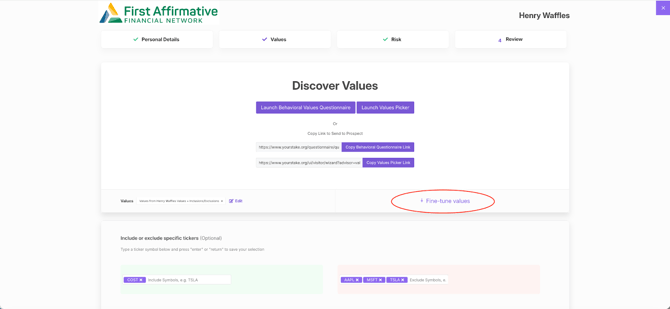
- No, the metric meter is still visible within “Fine Tune” from the Values preference step in the VADIS workflow.
How did the metric meter improve?
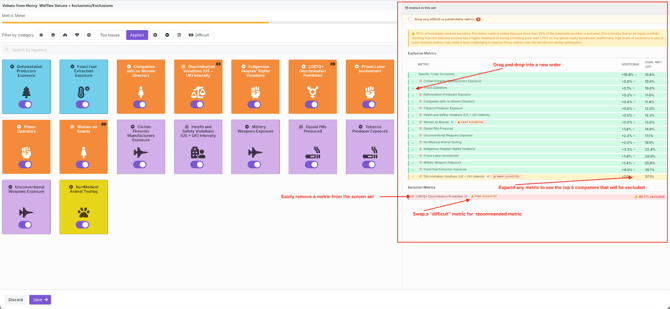
- The meter is now interactive, so you can see the % of the universe that is being eliminated for each metric as well as cumulatively, as you select additional metrics for a value set.
- The meter will now show you if there is a Swap for a “difficult” metric.
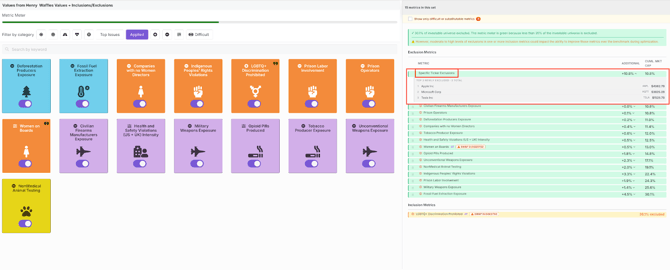
- The meter will now also include any individual company-specific exclusions.
- If an Inclusionary metric is part of the value set, you can see what portion of the companies to be included, are excluded by other (exclusionary) metrics in the screen-set.
How do I prioritize the metrics in a value set?
- You can now drag metrics from a lower prioritization, to a higher prioritization.
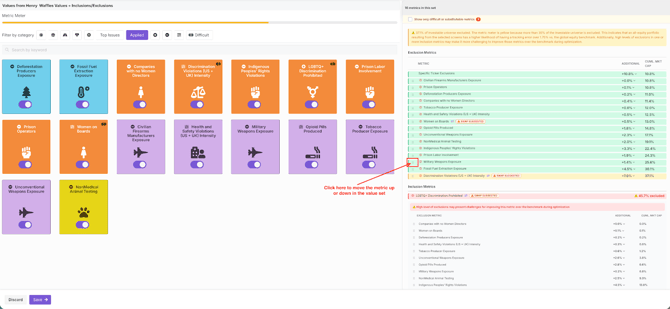
- The default prioritization is to list metrics in descending order, from the least amount of market cap excluded (green) to the most amount of market cap excluded (red).
Does the metric meter reflect individual company exclusions/inclusions?
- Yes, the metric meter now incorporates individual company exclusions/inclusions.
Do I have to “Fine Tune” the value set, in the VADIS workflow?
- Though there is not a requirement to “Fine Tune”, this is where you will see the Metric Meter and where you can adjust your value set.
What happens if my client’s values produce a red metric meter, but they don’t want to change any of their value preferences (i.e. remove exclusionary metrics)?
- You and your client will ultimately determine, together, the best path forward. However, if proceeding with a Red metric meter, we do require an acknowledgement (in the Review step) in the VADIS workflow AS WELL AS a client and advisor “sign-off” on understanding that the portfolio will have additional risks.
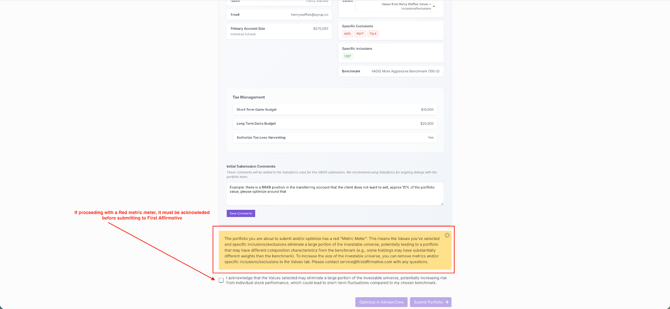
What if I submitted a VADIS optimization last year with a green metric meter and now, when I am going through the annual re-optimization, the metric meter is now yellow or red?
- In these situations, please contact the First Affirmative team for guidance.
In the Fine-Tune Values section of the VADIS workflow, under Inclusion Metrics (e.g., Clean Energy Companies), should the displayed “percentage excluded” actually be labeled as “percentage included”?
- In Fine-Tune Metrics, for the Inclusion Metrics, the percentage shown is the percentage of the companies in the inclusion metric that are EXCLUDED by other metrics. Exclusions trump inclusions (other than Specific-Company Inclusions). If a large percentage of an inclusion category is removed from the Investment Universe by exclusion metrics, the inclusion metric may not be positive in the YS Impact Performance report. In this example, Clean Energy Companies almost certainly will be positive.
Still have questions?
Please email support@yourstake.org